Coming Soon
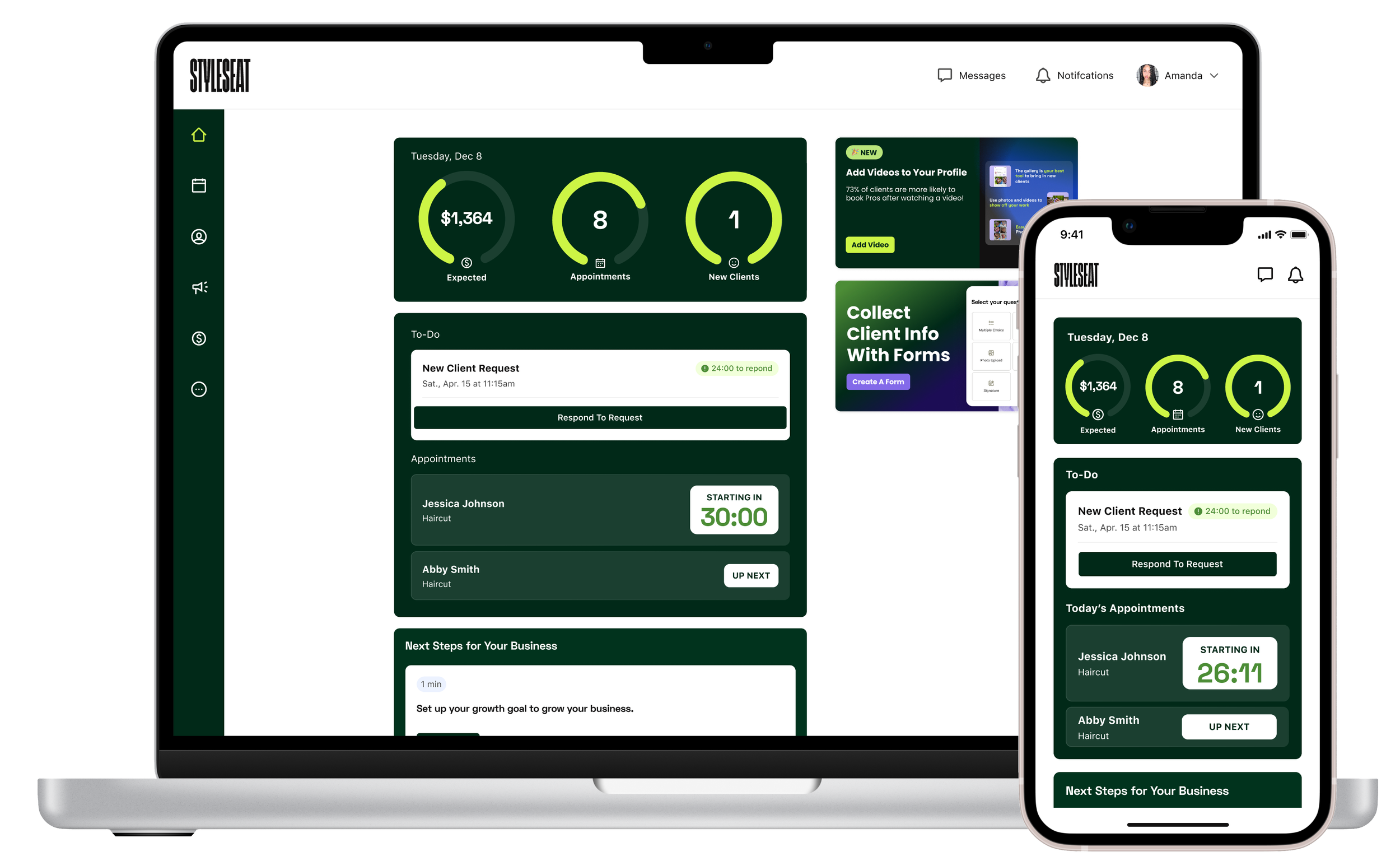
Pro Home Tab
The Pro Home Tab is the most visited surface in StyleSeat. It is not just a dashboard. It is a daily touchpoint that shapes perceived value, builds habit, and directly influences retention.
I approached this project as both:
A growth lever to improve retention and engagement
A strategic product surface to make StyleSeat’s ROI visible, understandable, and motivating
A systems design problem, not a visual refresh
Before opening Figma, I used structured prompting and AI-assisted exploration to pressure-test assumptions, define success criteria, and shape the information architecture. This ensured the work solved for outcomes, not just layout.
Project Objective
Design a modern, performance-driven Home Tab that:
Increases perceived value of StyleSeat
Drives daily engagement and habit formation
Improves 90-day retention
Helps Pros quickly understand how their business is performing
Clearly surfaces how StyleSeat contributes to earnings
My Role
User Research
Discovery
Ideation
Brainstorm facilitation
Design
Design QA
-
The existing home tab was visually outdated and did not clearly surface how StyleSeat was helping Pros make money or grow their business.
Business performance metrics were scattered
Platform contributions (NCC earnings, Smart Pricing revenue) were buried
Pros could not quickly understand how they were performing
Value was not obvious at a glance
This created a retention risk. If Pros cannot see ROI, they are more likely to churn.
-
We identified an opportunity to turn the home tab into a daily business command center.
Opportunity modeling showed:
A 2pp improvement in 90-day retention ≈ ~$90K ARR
Even a 1pp lift represented meaningful MRR impact
Engaged Pros historically retain better
This positioned the home tab as a retention multiplier, not a cosmetic update.
-
For the redesign to succeed, it had to:
Reduce cognitive load and make the Pro’s day easier
Proactively anticipate operational needs
Surface small, achievable growth tasks
Prioritize urgency and importance
Feel simple, helpful, and respectful of time
Clearly show how StyleSeat is working for them
Provide a bird’s-eye view of business performance
These principles drove the architecture.
-
Growth lens
Drive daily habit formation
Increase engagement with revenue-driving features
Reinforce ROI to reduce churn
Strategic product lens
Align performance metrics, marketplace contributions, and actions into one system
Create modular architecture for future personalization
Build for scale across mobile, tablet, and desktop
Personas

Early Pros / Freshie (New Pros)
Needs: Guidance, confidence, first clients
HomeTab Focus:
“Getting Started” checklist with visible progress
Education tips on growing and marketing
Milestone tracker for early wins
Standout: The HomeTab acts as an onboarding coach — structured, supportive, and momentum-building.

Growing & Growth Minded Pros
Needs: Full schedules, revenue consistency, efficiency
HomeTab Focus:
Predictive insights for filling gaps
Revenue and booking goal tracker
Smart rebook prompts and cancellation alerts
Standout: Momentum-driven — the HomeTab nudges toward measurable growth.

Optimizer & Artisan
Needs: Clarity, trust in automation, digital fluency
HomeTab Focus:
Migration and setup progress tracker
Clear, real-time booking notifications
Training nudges for moving existing clients online
Standout: Transparency over clutter — the HomeTab builds confidence in the new system.

Established Pros
Needs: Operational efficiency, brand authority, independence
HomeTab Focus:
Business health dashboard (revenue, retention)
Social proof and status highlights
Quick-access marketing and payment tools
Standout: A performance control center — streamlined, data-forward, and powerful.
Before designing screens, I used structured AI prompting to:
Simulate different Pro mental models
Explore information hierarchy
Stress-test cognitive load
Define responsive behaviors
Identify tradeoffs
AI was used to refine thinking and evaluate structure, not generate UI.
AI-Assisted Systems Exploration
This surfaced three dominant mental models:
Command Center – fast action and efficiency
Business Pulse – real-time performance visibility
Partner in Growth – guided coaching and personalized recommendations
AI was used to accelerate synthesis and evaluate structure, not generate UI.
Initial Concepts
-
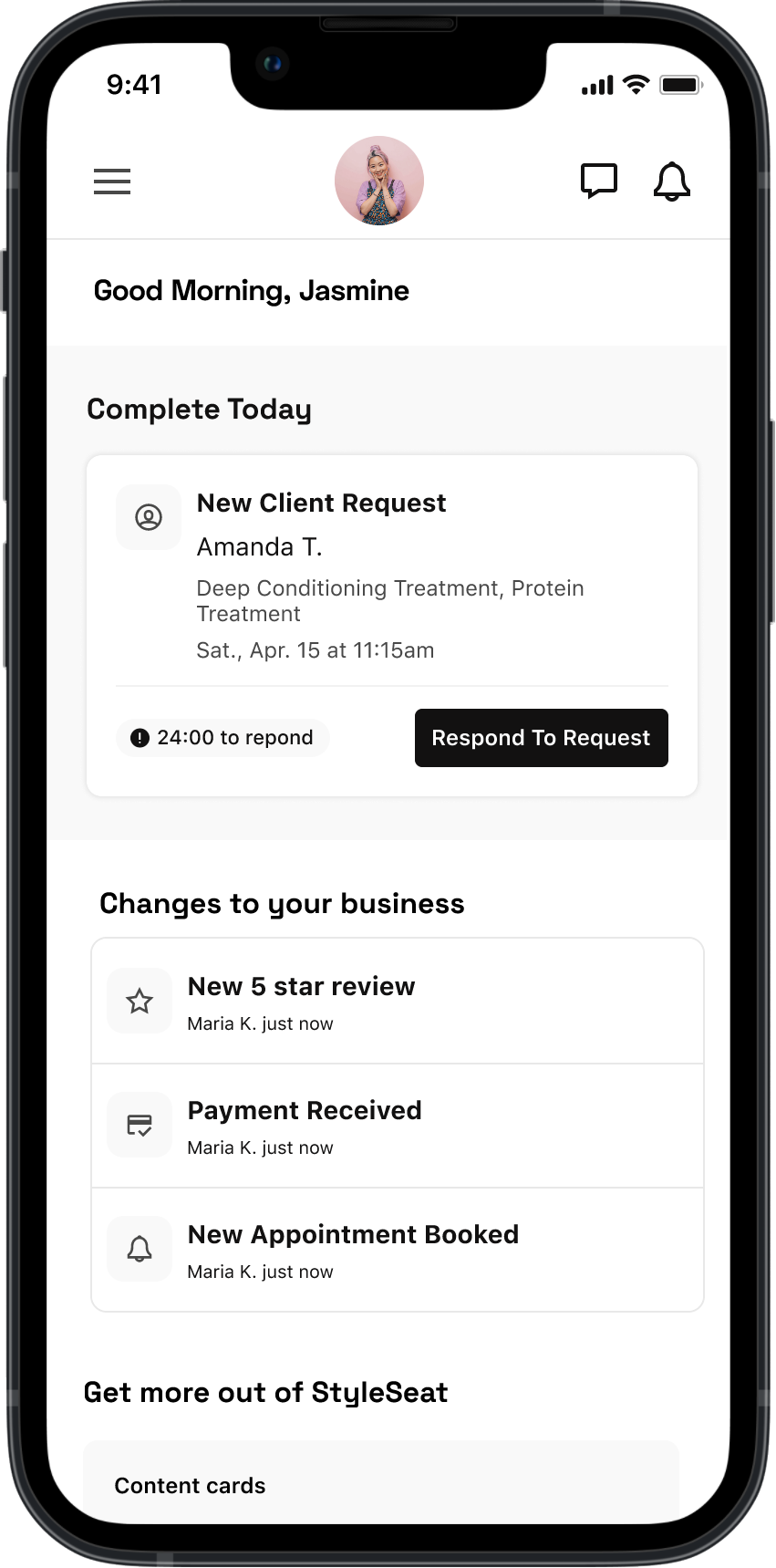
![Screenshot of a mobile app displaying a greeting to Jasmine, with sections for completing tasks today, handling client requests, and managing business updates, including reviews, payments, and appointments.]()
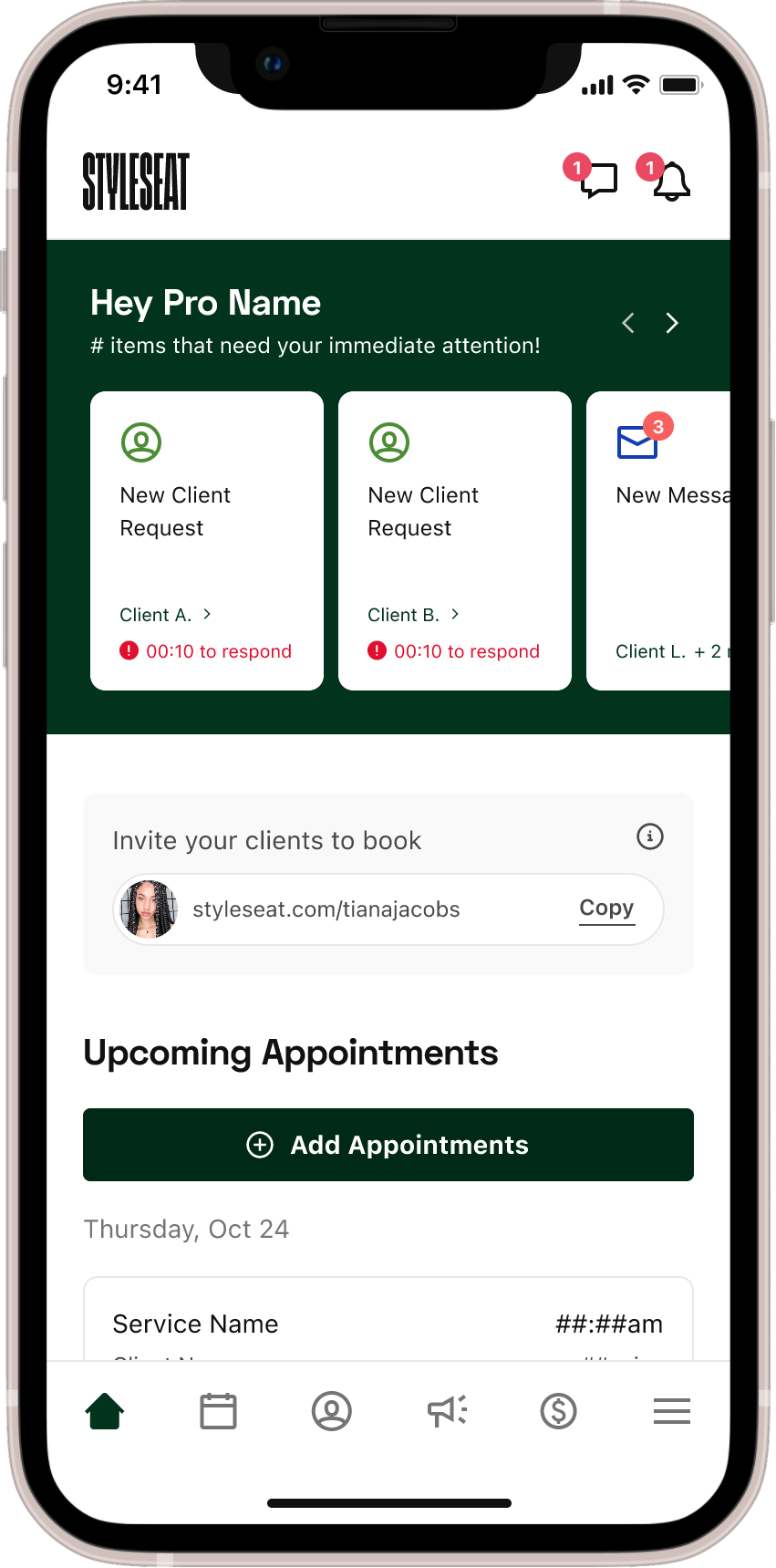
Command Center
-
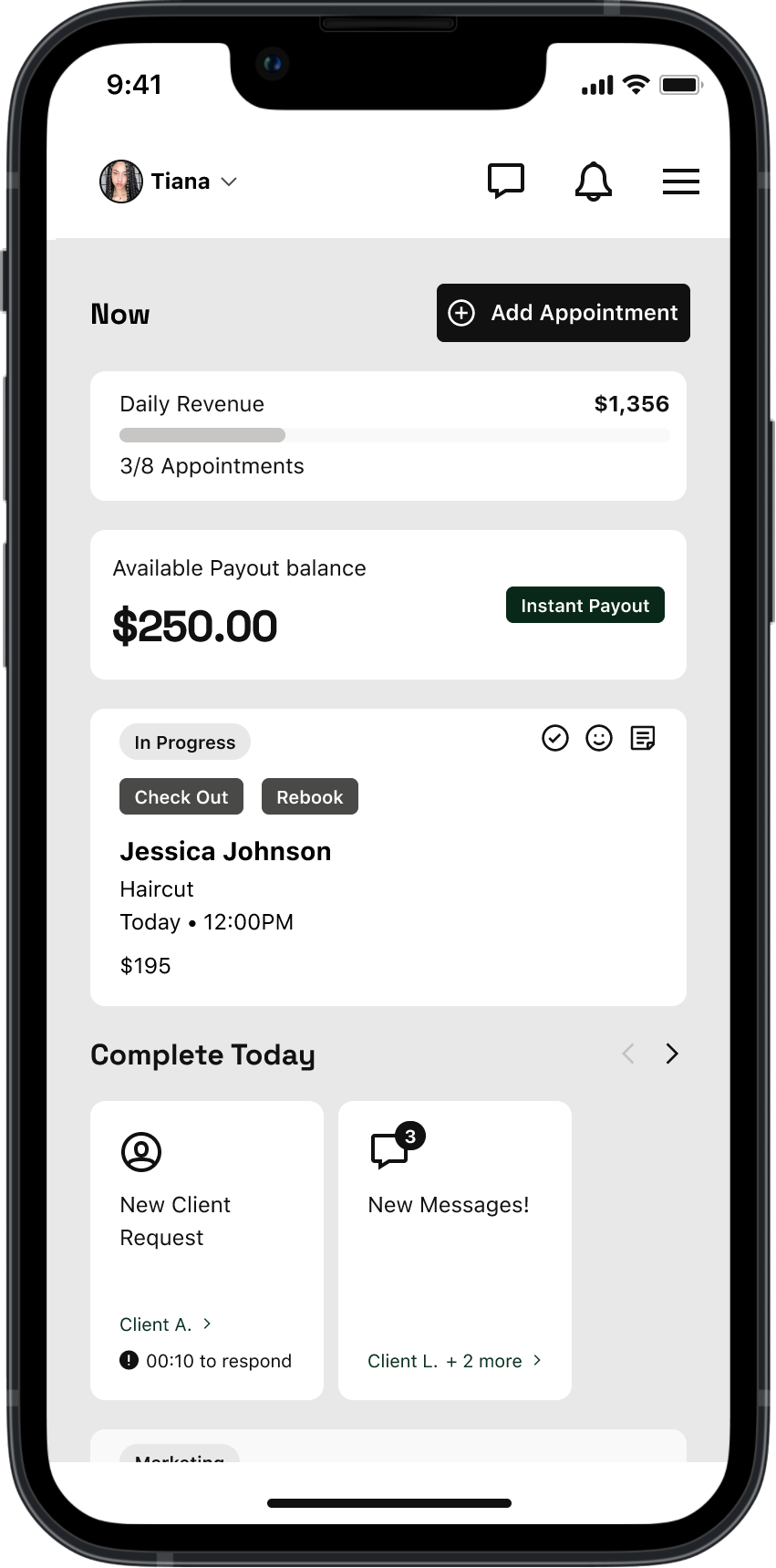
![Screenshot of a business app displaying daily revenue, appointment stats, payout balance, and upcoming client appointments, with options to check out or rebook.]()
Business Pulse
-
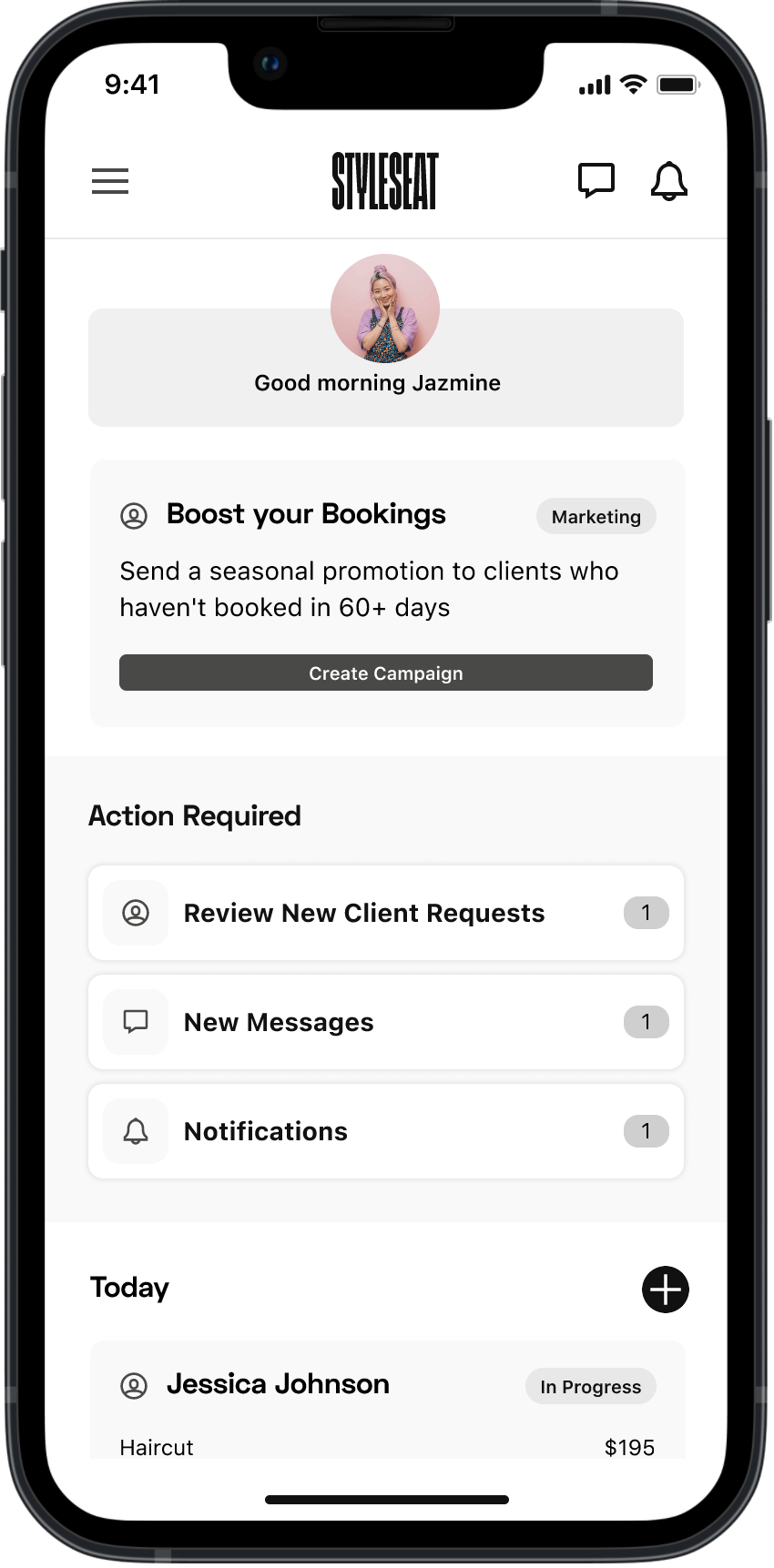
![Mobile app screen displaying a dashboard with a profile picture of a smiling woman; greeting 'Good morning Jazmine'; options to boost bookings, review client requests, and view messages and notifications; and a schedule with a haircut appointment for Jessica Johnson.]()
Partner in Growth
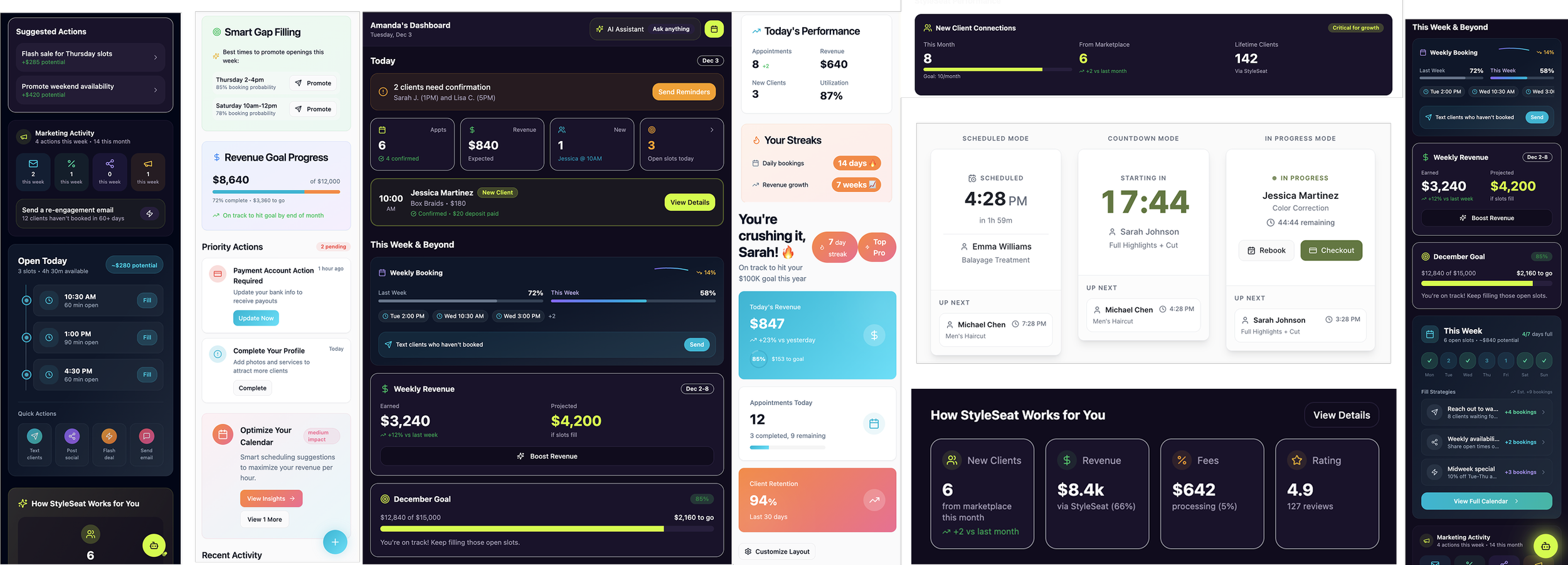
The Solution
-
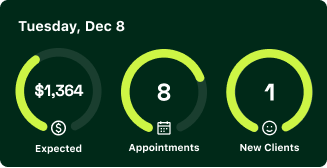
![Dashboard showing date Tuesday, Dec 8, with expected revenue of $1,364, 8 appointments, and 1 new client.]()
My Day SnapShot
Offers a quick overview of today’s appointments, projected revenue, schedule health, and key reminders so Pros can instantly see if they’re set up for the day.
-
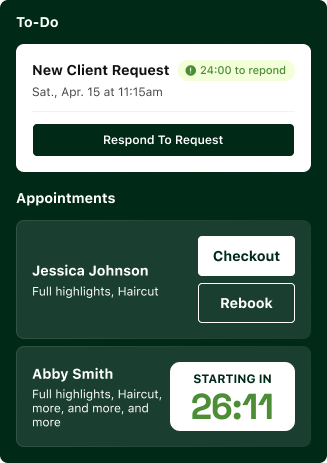
![Mobile app interface showing to-do list with new client request, appointment details, and options to respond, checkout, or rebook, with a countdown timer for upcoming appointment.]()
Appointment Management
acts as the operational hub, showing a timeline of today’s appointments with inline actions to confirm, message, adjust services, and collect payment.
-
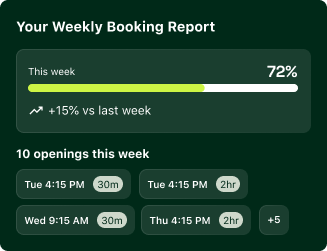
![Weekly booking report showing 72% occupancy this week, 15% increase from last week, and 10 openings scheduled on Tuesday, Wednesday, and Thursday with times and durations listed.]()
Weekly Bookings
Gives Pros a week-over-week view of booking performance and highlights open slots that need filling, helping them quickly spot trends and take action to increase revenue.
-
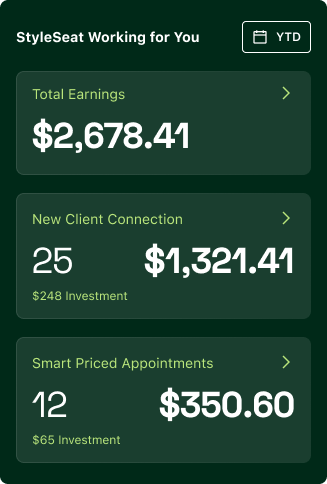
![Mobile app dashboard displaying earnings and client connection stats, including total earnings of $2,678.41, 25 new client connections totaling $1,321.41, and 12 smart priced appointments amounting to $350.60.]()
Business Pulse
provides a transparent breakdown of earnings. By clearly showing the platform’s contribution to their income, it reinforces StyleSeat as a true partner in their business.